
SquareHub cho phép bạn tạo các loại tin nhắn tương tác như thẻ (card) và biểu mẫu bên trong SquareHub Web Widget thông qua các API.
Bạn có thể tạo những tin nhắn này bằng cách sử dụng New Message API.
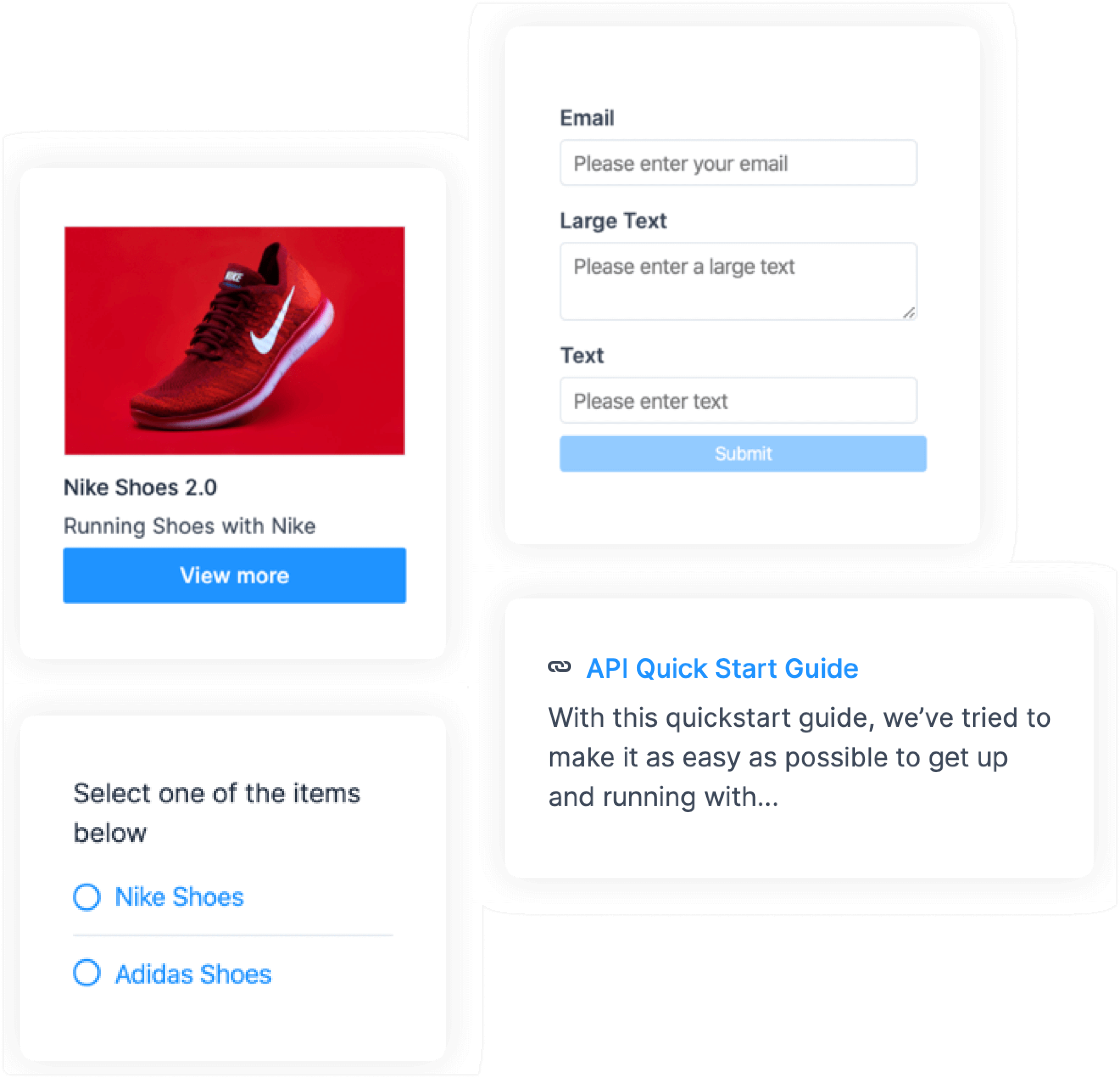
Mẫu Payload
Sử dụng các mẫu payload sau làm giá trị để tạo các loại tin nhắn tương tác khác nhau.
1. Lựa chọn
{
    "content": "Select one of the items below",
    "content_type": "input_select",
    "content_attributes": {
        "items": [
            { "title": "Option1", "value": "Option 1" },
            { "title": "Option2", "value": "Option 2" }
        ]
    },
    "private":false
}
2. Biểu mẫu
{
  "content": "form",
  "content_type": "form",
  "content_attributes": {
    "items": [
      {
        "name": "email",
        "placeholder": "Please enter your email",
        "type": "email",
        "label": "Email",
        "default": "[email protected]"
      },
      {
        "name": "text_aread",
        "placeholder": "Please enter text",
        "type": "text_area",
        "label": "Large Text",
        "default": "Sample text"
      },
      {
        "name": "text",
        "placeholder": "Please enter text",
        "type": "text",
        "label": "text",
        "default": "sample input"
      },
      {
        "name": "select",
        "label": "Select Option",
        "type": "select",
        "options": [
          {
            "label": "🌯 Burito",
            "value": "Burito"
          },
          {
            "label": "🍝 Pasta",
            "value": "Pasta"
          }
        ]
      }
    ]
  },
  "private": false
}
3. Thẻ (Cards)
{
   "content": "card message",
   "content_type":"cards",
   "content_attributes":{
      "items":[
         {
            "media_url":"https://assets.ajio.com/medias/sys_master/root/hdb/h9a/13582024212510/-1117Wx1400H-460345219-white-MODEL.jpg",
            "title":"Nike Shoes 2.0",
            "description":"Running with Nike Shoe 2.0",
            "actions":[
               {
                  "type":"link",
                  "text":"View More",
                  "uri":"google.com"
               },
               {
                  "type":"postback",
                  "text":"Add to cart",
                  "payload":"ITEM_SELECTED"
               }
            ]
         }
      ]
   },
   "private":false
}
4. Bài viết (Articles)
{
    "content": "articles",
    "content_type": "article",
    "content_attributes": {
        "items": [
            { "title": "API start guide", "description": "A random start api guide", "link": "http://google.com" },
            { "title": "Development docs", "description": "Development docs and guidelines", "link": "http://google.com" }
        ]
    },
    "private":false
}