# Cách cài đặt live chat trên ứng dụng Vue.js?
> Tami · Cập nhật lần cuối ngày 10 thg 4, 2024
Để tích hợp SquareHub với ứng dụng Vue.js của bạn, bạn cần dán script widget SquareHub vào file `index.html` của ứng dụng Vue.js.
Đây là cách thực hiện:
## Bước 1. Lấy script widget của bạn[](https://docs.squareomni.com/docs/product/channels/live-chat/integrations/vue#1-get-your-widget-script "Direct link to heading")
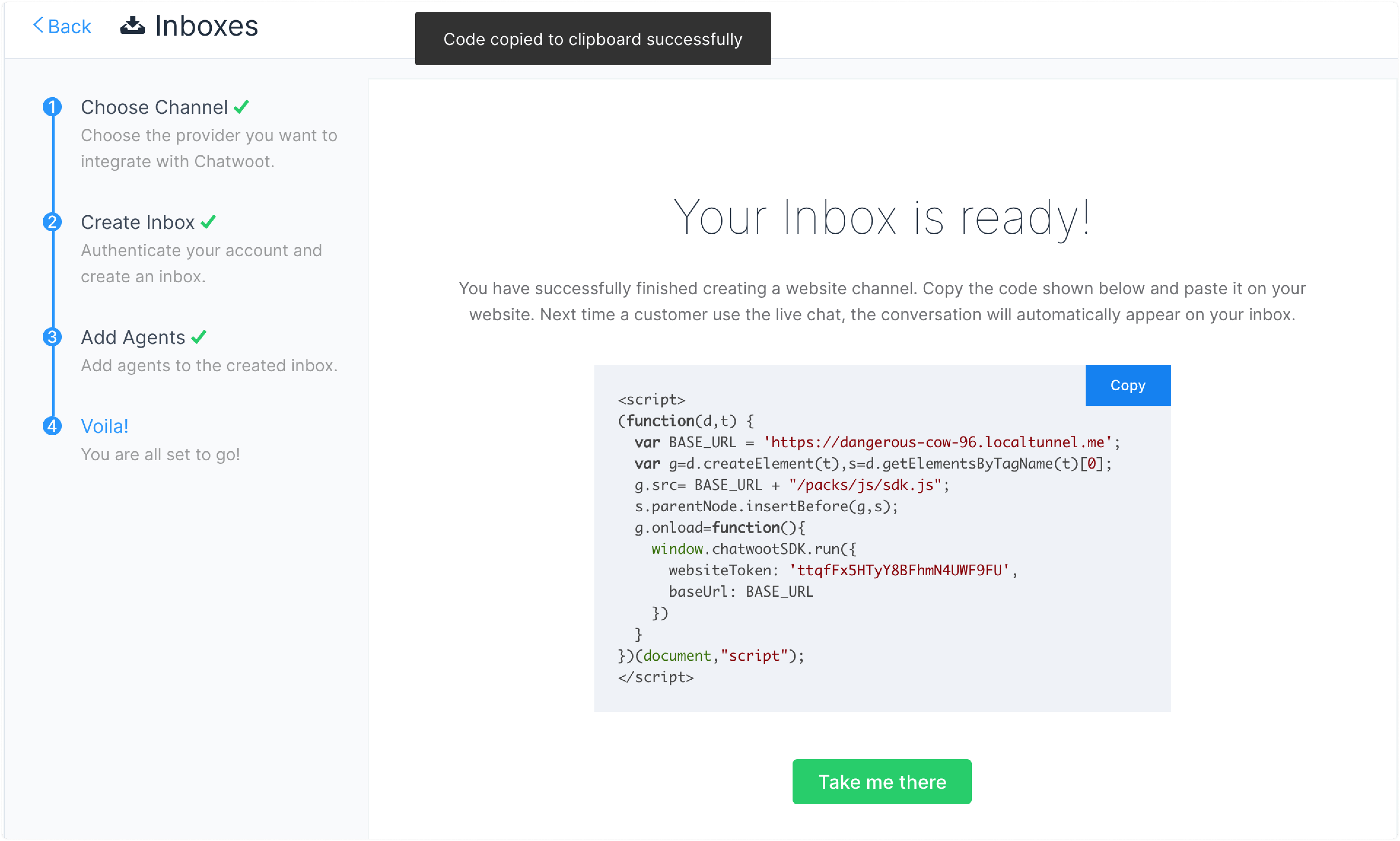
Script widget của bạn có thể được tìm thấy trong cài đặt Website Inbox. Đi đến Cài đặt -> Inbox -> Chọn kênh Website của bạn > tab `Configuration`.
Nếu bạn chưa tạo website inbox, bạn có thể tìm hướng dẫn từng bước [tại đây](https://docs.squareomni.com/hc/squarehub-user-guide-cloud-version/en/website-live-chat/474).
## Bước 2. Sao chép script[****](https://docs.squareomni.com/docs/product/channels/live-chat/integrations/vue#2-copy-the-script "Direct link to heading")
Sao chép script được tạo trong trường `code` của kênh.
## Bước 3. Dán script vào đây[](https://docs.squareomni.com/docs/product/channels/live-chat/integrations/vue#3-paste-the-script-here "Direct link to heading")
Mở dự án Vue của bạn và dán script vào file index.html, ngay trước thẻ đóng `
`.
```
```
## Bước 4. Kiểm tra
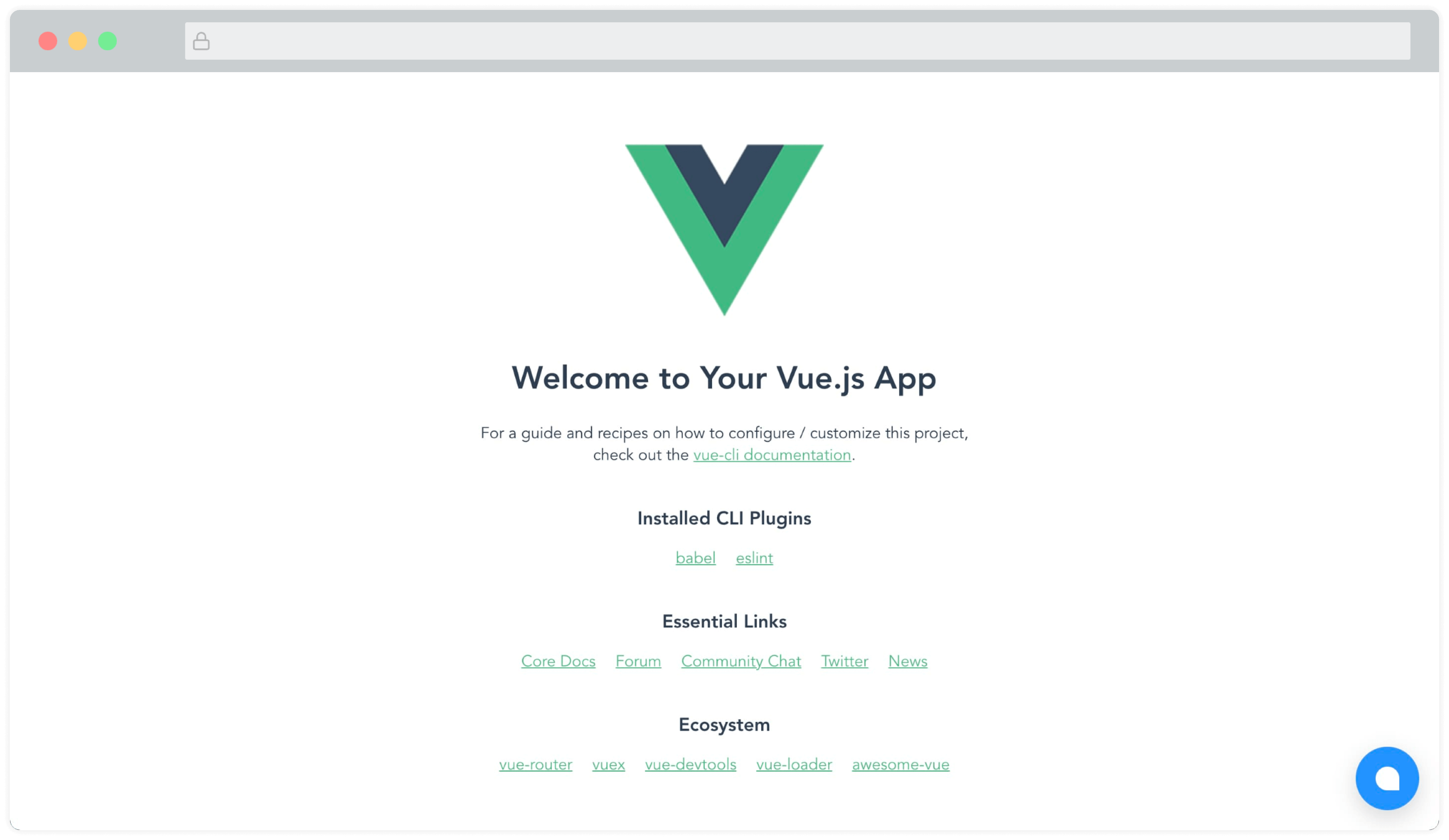
Bây giờ bạn sẽ thấy widget SquareHub xuất hiện trên trang. Trông sẽ như thế này:
### Module Vue.js, Nuxt.js[](https://docs.squareomni.com/docs/product/channels/live-chat/integrations/vue#vuejs-nuxtjs-module "Direct link to heading")
Một module được cộng đồng duy trì (Được tạo bởi những người tuyệt vời tại [@huntersofbook](https://github.com/huntersofbook/huntersofbook)) để tích hợp SquareHub vào các dự án Vue 3 và Nuxt 3 của bạn đã có sẵn. Bạn có thể xem [bản demo tại đây](http://vue-squarehub-plugin.vercel.app/).
- Xem [module Vue 3](https://github.com/huntersofbook/huntersofbook/tree/main/projects/squarehub/packages/vue).
- Xem [module Nuxt 3](https://github.com/huntersofbook/huntersofbook/tree/main/projects/squarehub/packages/nuxt).